See Workdex Phone In Action
Monday To Friday - 2 PM IST
Join FREE Daily Demo at 2 PM and learn how to use Workdex Phone for your Business.
Book a Demo ➤Unlimited Calls, Multiple Staff at Rs 600 per month!
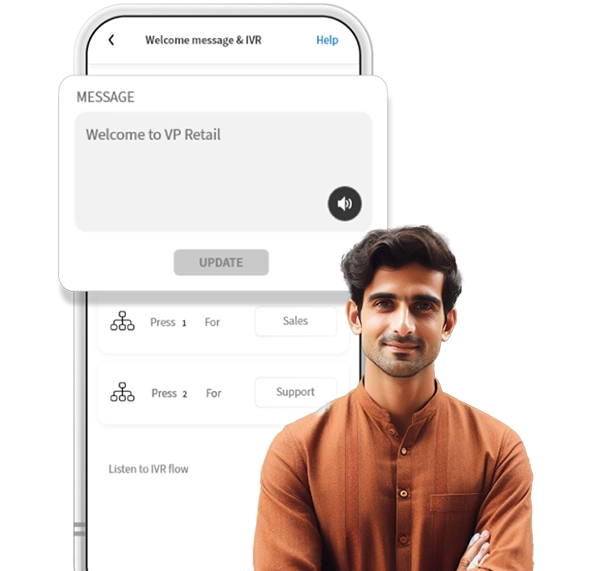
Modern businesses need reliable, fast, and professional communication solutions. Our smart business tools ensure seamless operations, improved customer experience, and a more organized workflow. From handling daily tasks to scaling your business, our system is designed to make everything smoother, faster, and more efficient.
Reduce manual work and improve productivity with intelligent automation.
Create a strong first impression with modern communication tools.
Our dedicated support team ensures smooth operation 24/7.
Connect, call, and chat with your customers from a single platform. Simplify communication, boost productivity, and grow your business — all in one app.
Route every customer to the right person instantly with Workdex’s smart IVR system and virtual numbers — making communication faster and smoother.

Launch and manage powerful WhatsApp promotions right from the Workdex App. Connect, engage, and convert — all in one click.

Empower your entire team to reply and manage customer WhatsApp messages from a single, organized workspace.
Automatically record all calls and keep track of customer interactions for better training, transparency, and service quality.
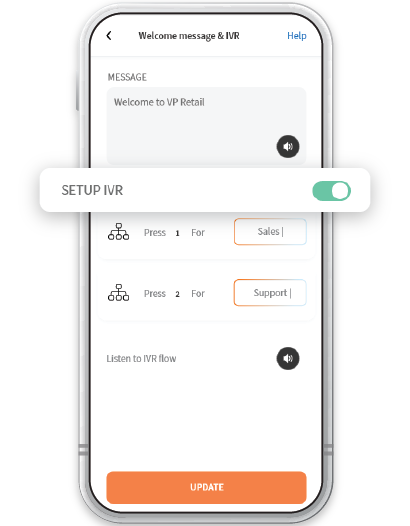



Set up and Manage your business calls easily with Workdex IVR system

Our dynamic educational platform offers you the tools supportive community.

All calls are securely recorded & stored on cloud for quality checks and training.

Get professional with customized business caller tunes to greet your customers.

Get professional with customized business caller tunes to greet your customers.

Integrate your GMB profile with Workdex Phone for improved reviews & ratings.

Never miss a customer interaction with the convenient voicemail feature.

Stay informed all the time with Workdex Phone missed call alert notifications.

Founder | Parantha Secret

Founder | SKT Enterprise

Owner | MobiServ Global Limited
Open Workdex Phone App, go to Settings & tap on Call & Staff
Click on the option - Play Welcome Message & IVR, by default the IVR is switched off
You will be taken to Setup Department once you switch on the IVR - Department 1 is for Sales & Department 2 is for Support
There are 2 sound icons - one plays Welcome Greeting Message & the second plays IVR
Once you customize your welcome message & enable IVR, your caller/customer will be able to Press 1 for Sales & Press 2 for Support whenever they make a call to your business


Professional, Small Office or Agency or a Retail Outlet

Businesses looking to increase their customer enquiries

Business/Team with less staff to handle multiple calls


Business Owner who is looking for a Single Number for them and their staff

A Service Business like a Salon, Tour Operator or Health Clinic

Small Startups or Teams upgrading their customer engagement
Note: Workdex is strictly for business usage only. Any use of Workdex for personal, scamming, phishing or other fraudulent or non-business usage can lead to your account being blocked.

Join FREE Daily Demo at 2 PM and learn how to use Workdex Phone for your Business.
Book a Demo ➤At Gourisen, we empower individuals with job-ready skills in IT, design, cybersecurity, spoken English, and digital tools. Whether you're a student, professional, or entrepreneur — your future begins here.